Create a next-period DSD draft
- input
- Confirmed DSD audit report
- Outcome
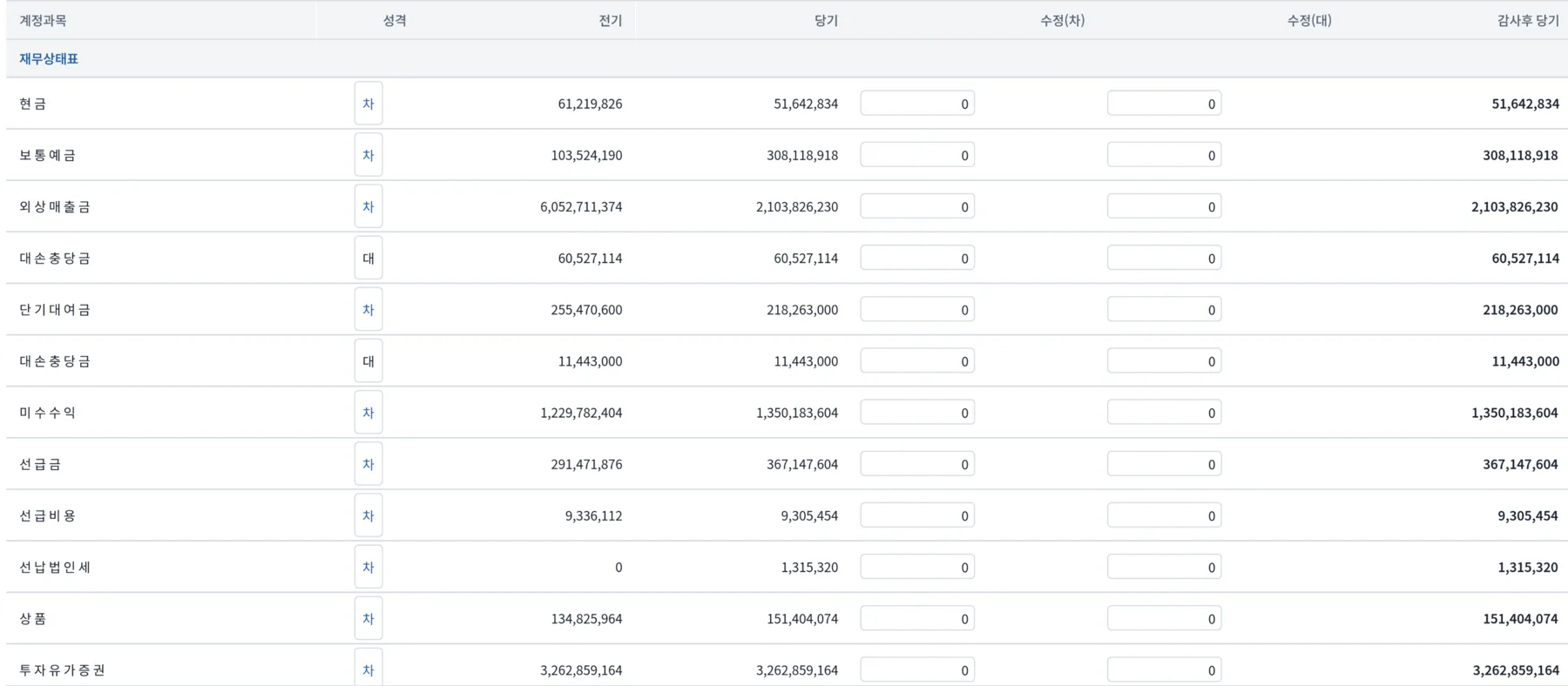
- Carry forward the accounting-period and amount columns to create a working copy for the next period in Excel.
usix product family · Free accounting automation tools
Axon turns audit reports and ledgers into next-period DSD drafts, reconciliation schedules, samples, and workpapers. Calculations run on your computer, with each result linked to its source.
Financial statements → Reconciliation → Excel
What you can do right after installation
Open the accounting files you already use and choose the deliverable you need. Review results stay with the draft as evidence for a safe final decision.
Product tour
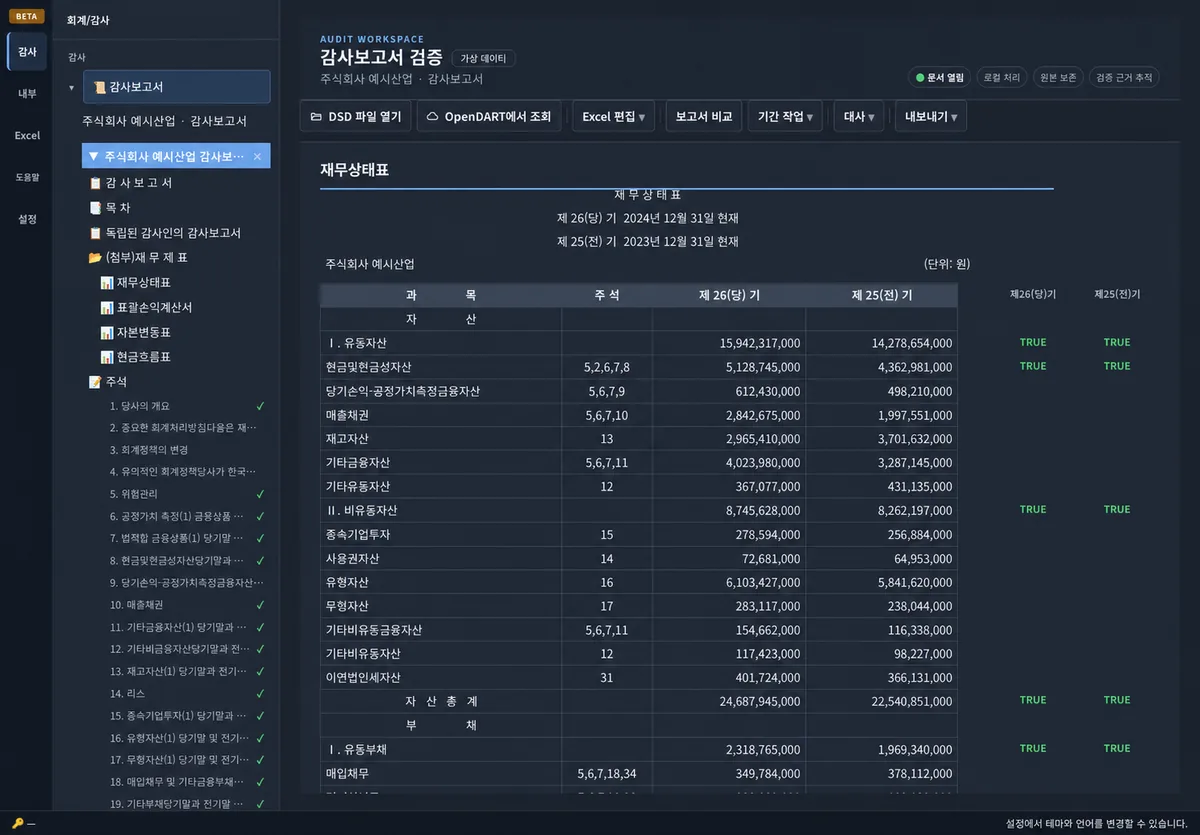
This is the actual workspace of the current deployed code. The DART screen looked at actual public disclosures, and the ledger screen used synthetic demos rather than actual transactions.
01
Recalculate the totals and subtotals of the OpenDART public audit report and view the results next to the original text.
Read more in the manual →02
This is the actual operation of loading 1,640 rows of a fully synthetic ledger to check monthly trends and customer concentration.
Read more in the manual →03
The 95% MUS sample is sent to Excel, the audit values are entered, and the sample is retrieved to calculate whether additional audit procedures are needed.
Read more in the manual →Data processing
Basic analysis of ledgers and financial statements is done on your computer. Accounting data and usage patterns are not automatically collected. OpenDART inquiries, checking updates/new news, directly subscribed newsletters, and error reports are connected to the server for each function.
Learn more about data processing structure →Beyond free Axon · Soma
Soma is a paid accounting workflow product covering RCM mapping, sample selection, evidence review, and operating-effectiveness workpaper drafts. Automation prepares the drafts, and a person approves decisions that require judgment. AI models run only in Propsol-managed or customer environments.
View Soma Pilot and Workflow →Free beta
This is an installation file developed and provided by Prop Solution Co., Ltd. Only files for each operating system currently available are displayed, and identity can be confirmed with a SHA-256 checksum.
Currently released Axon installation files are provided free of charge.
After installing the app, start without creating a separate account.
Analysis and export are designed to avoid overwriting the original material.
It will check and update when you run it if there is a new public version.
Development/Provision PROPSOLUTION Corp.Official file providing address axon-dl.u-6.xyz
When you download, your IP address, browser information, referrer, connecting country and network operator, platform and version are recorded and may be kept for up to 90 days. Privacy Policy
Pricing
Future scope and prices will be announced separately after they are confirmed. The installation files currently displayed on the homepage can be downloaded for free.